장비 작업 공간 변환 튜토리얼
이 튜토리얼은 기본 힘 피드백 이 튜토리얼을 바탕으로 내용을 확장하여, 공간 변환 속성과 메서드를 사용하여 조정하는 방법을 시연합니다. Inverse3 장치의 위치, 회전 및 확대/축소.
소개
기본 힘 피드백을 기반으로 장면을 구성한 후, ‘Haptic Origin ’이나 ‘Haptic Controller’를 이동, 확대/축소 또는 회전하는 등의 조정을 해도 햅틱 피드백이 예상대로 변하지 않는다는 점을 눈치채실 수 있습니다. 피드백은 여전히 장치 전방에 위치한 보이지 않는 구체를 기준으로 하며, 이러한 변환의 영향을 받지 않습니다.
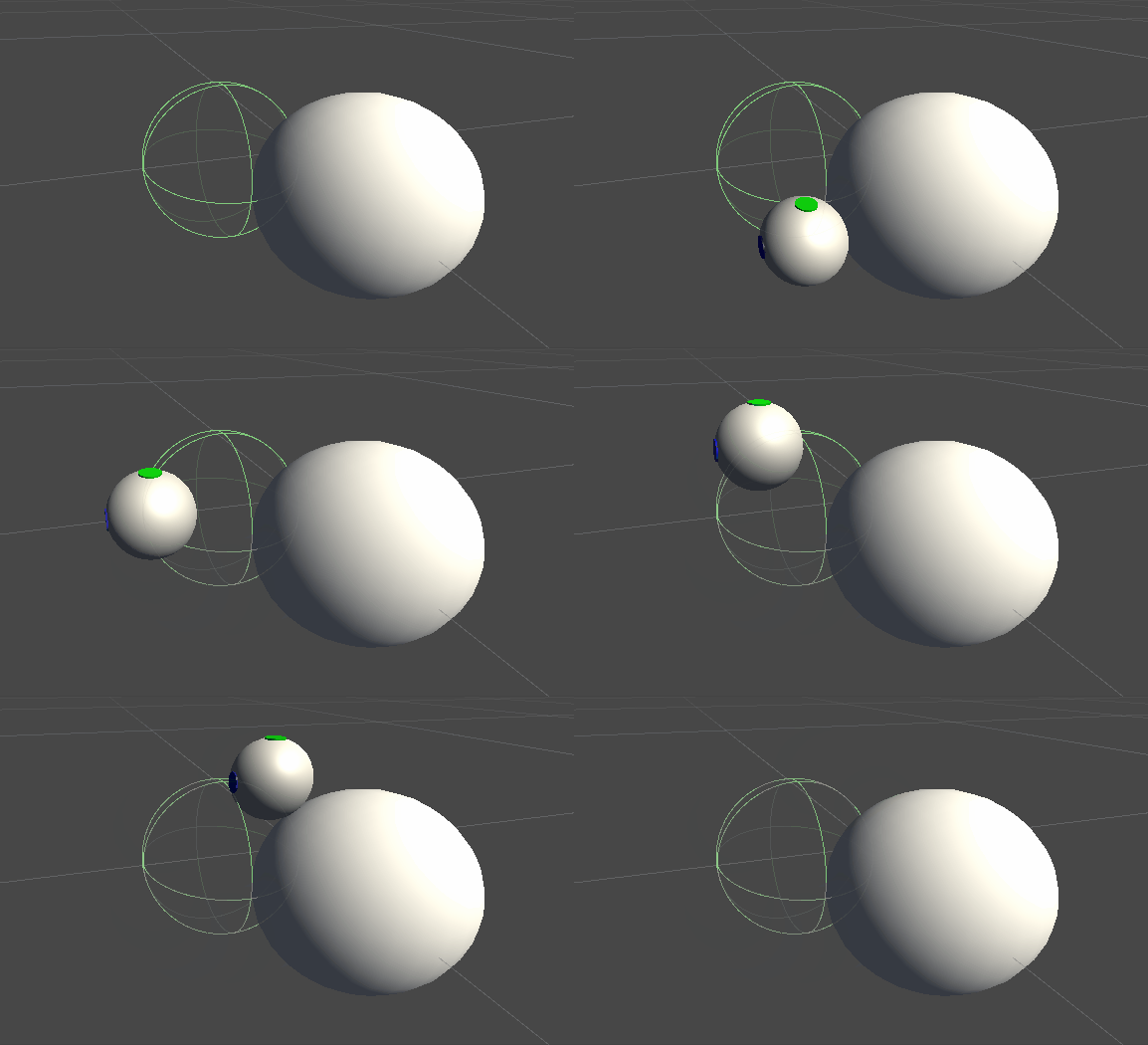
이러한 오차가 발생하는 이유는 힘 계산에 장치 커서의 실제 변환되지 않은 좌표가 사용되기 때문입니다. 이 문제를 해결하기 위해, ‘Inverse3 ’ 컨트롤러 컴포넌트가 제공하는 스레드 안전 캐시 변환 행렬을활용하여, 햅틱 피드백 계산에 월드 스페이스 변환을 적용할 것입니다.
장면 설정
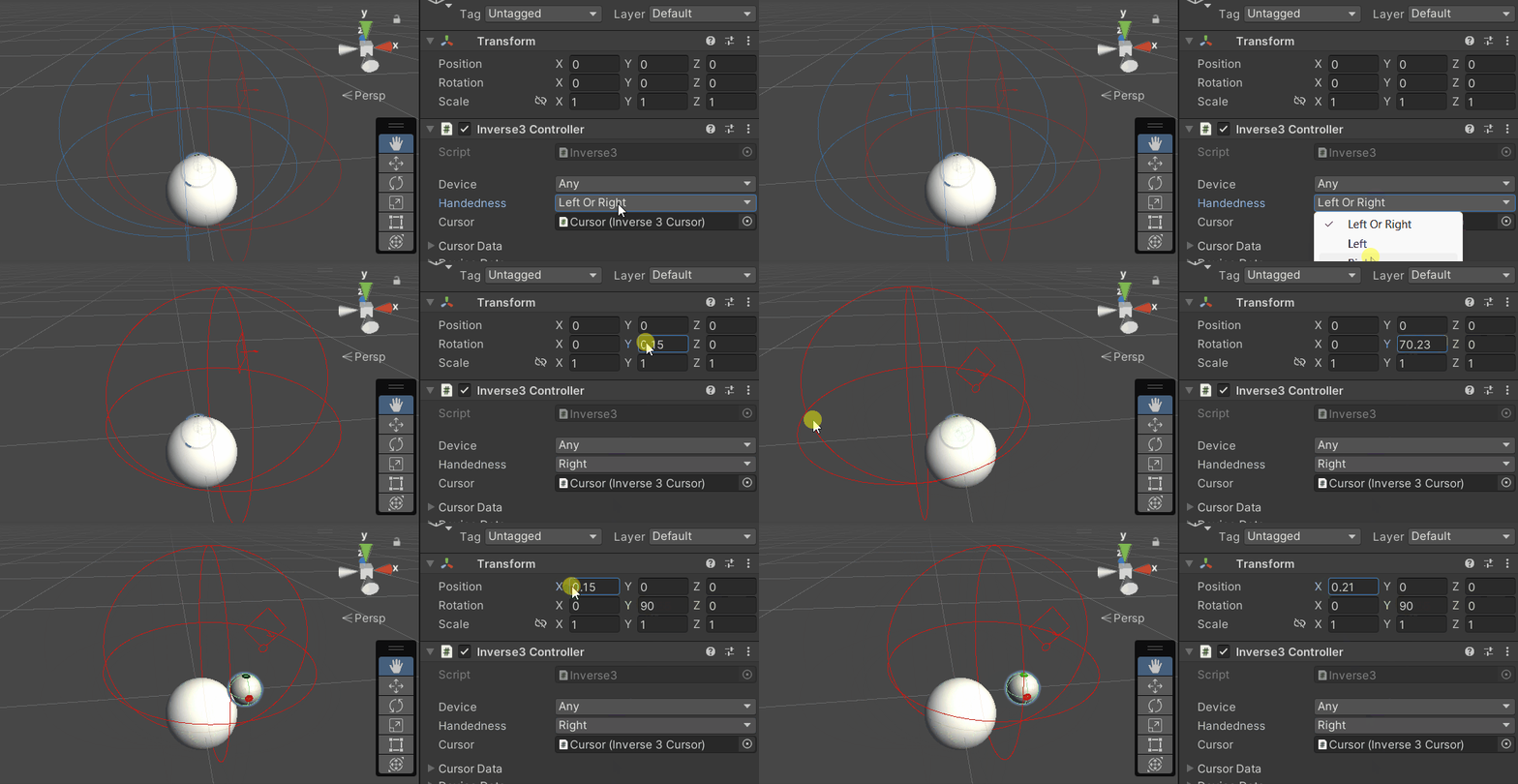
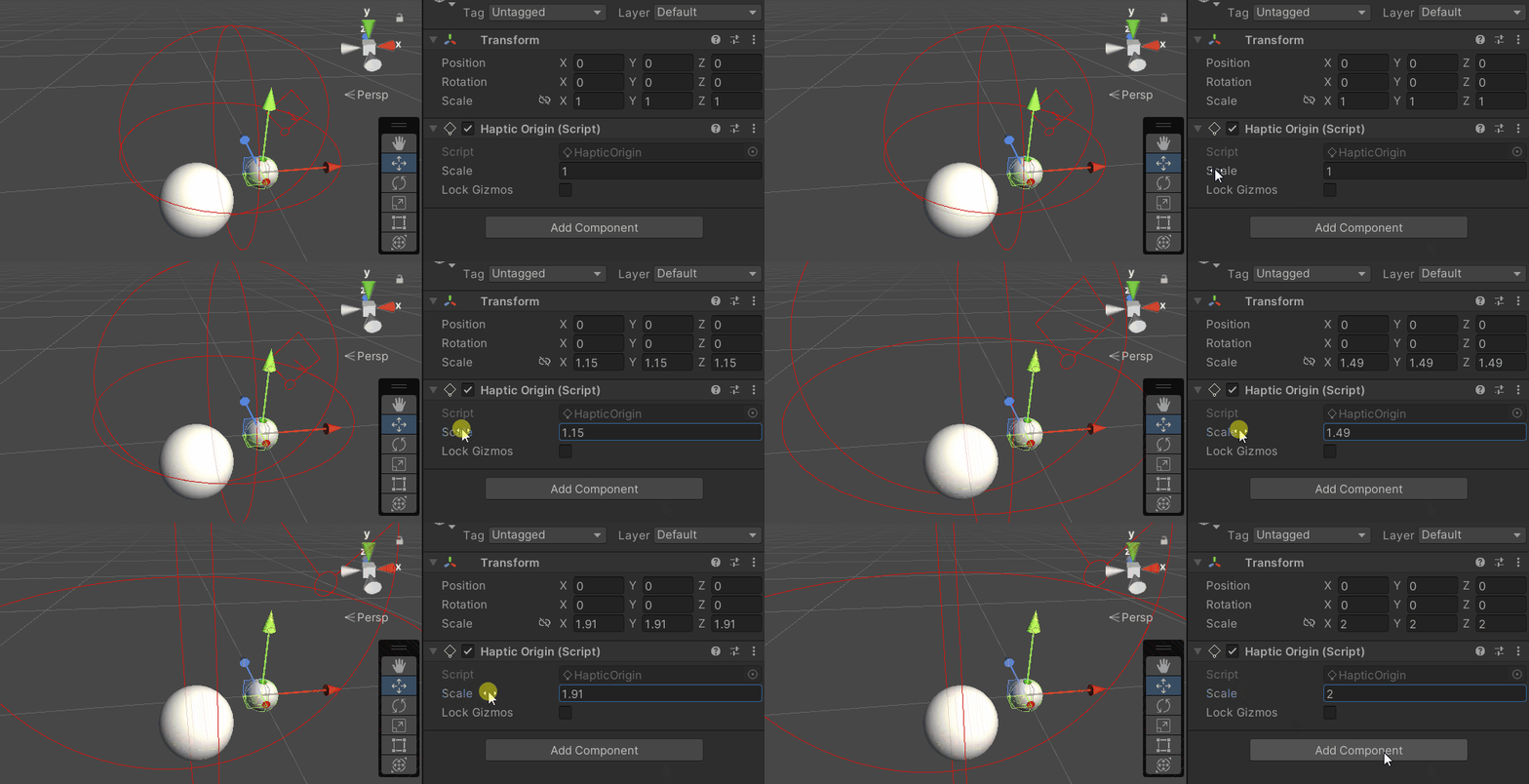
‘기본 힘 피드백 튜토리얼’의 장면부터 시작하고, ‘Inverse3 ’ 컨트롤러의 좌우 손 설정이 사용자의 기기와 일치하는지 확인하십시오. ‘Haptic Controller’를회전하여 ‘ Haply ’ 로고가 카메라를 향하도록 하고, 필요에 따라 ‘Haptic Origin’의 확대/축소 비율을 조정하여 커서 범위를 넓히거나 위치를 조정하십시오.
힘 피드백 스크립트 수정
‘기본 힘 피드백 튜토리얼’에서 복사 SphereForceFeedback.cs 대본, 그리고 OnDeviceStateChanged 콜백 과정에서 다음과 같이 조정합니다:
- 将
device.CursorLocalPosition다음으로 대체device.CursorPosition。 - 将
device.CursorLocalVelocity다음으로 대체device.CursorVelocity。 - 将
device.CursorSetLocalForce(force)다음으로 대체device.CursorSetForce(force)。
private void OnDeviceStateChanged(object sender, Inverse3EventArgs args)
{
    var inverse3 = args.DeviceController;
    var force = ForceCalculation(inverse3.CursorPosition, inverse3.CursorVelocity,
        _cursorRadius, _ballPosition, _ballRadius);

    inverse3.SetCursorForce(force);
}
게임 체험
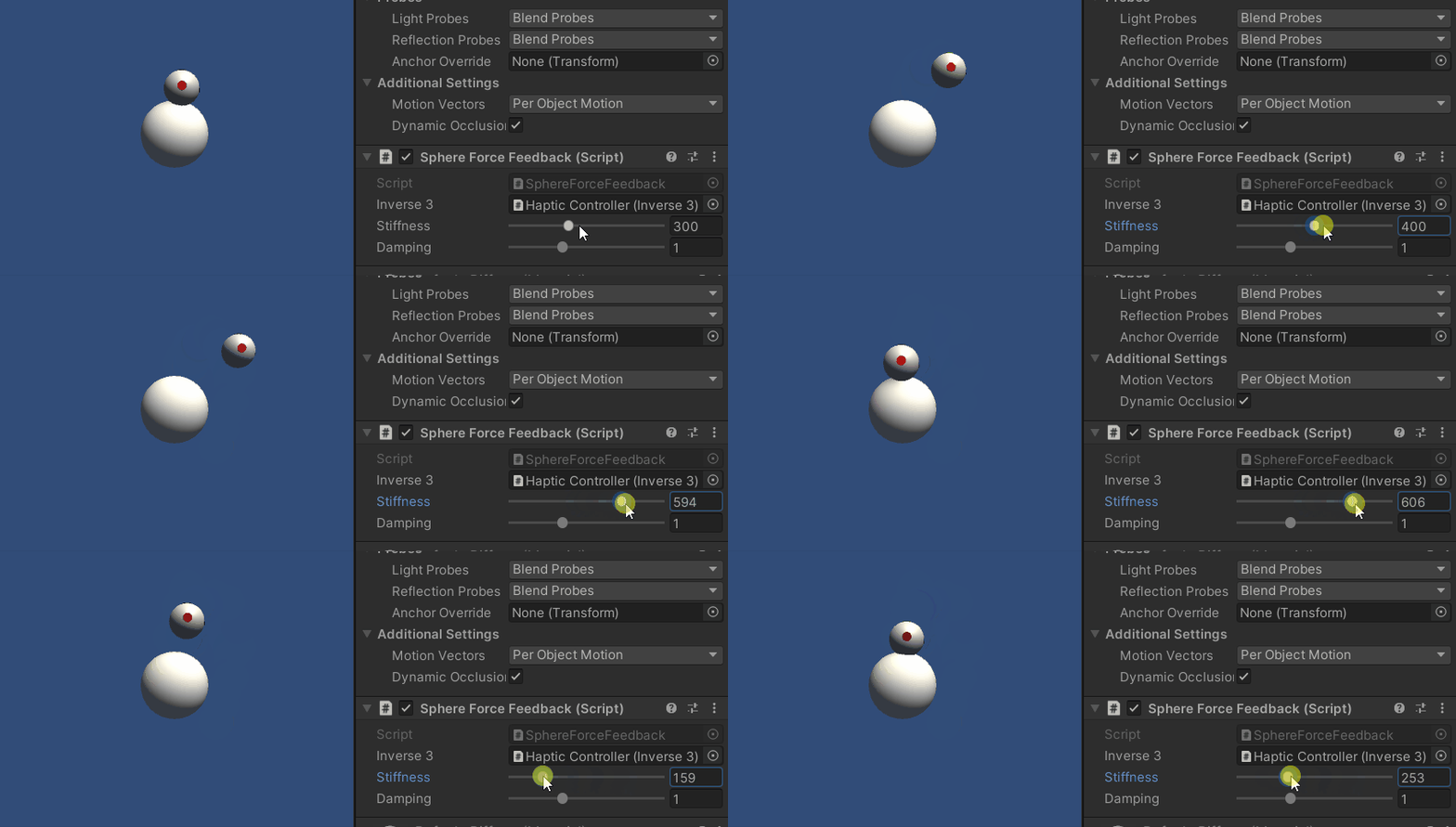
Inverse3 의 커서를 잡고 재생 모드로 들어갑니다. 앞의 예제와 마찬가지로 구체를 터치해 보세요. 이제 Haptic Origin과 Haptic Controller에 적용된 변환을 반영하는 정확한 햅틱 피드백을 경험할 수 있을 것입니다.
원본 파일
이 예제의 전체 시나리오와 관련 파일은 Unity 패키지 관리자의 ‘Tutorials’ 예제에서 가져올 수 있습니다.
예제 시나리오에는 런타임에 Haptic Controller 및 Haptic Origin을 조정하는 데 사용되는 추가 스크립트가 포함되어 있습니다.
SphereForceFeedback.cs
/*
 * Copyright 2024 Haply Robotics Inc. All rights reserved.
 */

using Haply.Inverse.DeviceControllers;
using Haply.Inverse.DeviceData;
using UnityEngine;

namespace Haply.Samples.Tutorials._3_DeviceSpaceTransform
{
    public class SphereForceFeedback : MonoBehaviour
    {
        // must assign in inspector
        public Inverse3Controller inverse3;

        [Range(0, 800)]
        // Stiffness of the force feedback.
        public float stiffness = 300f;

        [Range(0, 3)]
        public float damping = 1f;

        private Vector3 _ballPosition;
        private float _ballRadius;
        private float _cursorRadius;

        /// <summary>
        /// Stores the cursor and sphere transform data for access by the haptic thread.
        /// </summary>
        private void SaveSceneData()
        {
            var t = transform;
            _ballPosition = t.position;
            _ballRadius = t.lossyScale.x / 2f;

            _cursorRadius = inverse3.Cursor.Radius;
        }

        /// <summary>
        /// Saves the initial scene data cache.
        /// </summary>
        private void Awake()
        {
            inverse3 ??= FindFirstObjectByType<Inverse3Controller>();
            inverse3.Ready.AddListener((device, args) => SaveSceneData());
        }

        /// <summary>
        /// Subscribes to the DeviceStateChanged event.
        /// </summary>
        private void OnEnable()
        {
            inverse3.DeviceStateChanged += OnDeviceStateChanged;
        }

        /// <summary>
        /// Unsubscribes from the DeviceStateChanged event.
        /// </summary>
        private void OnDisable()
        {
            inverse3.DeviceStateChanged -= OnDeviceStateChanged;
            inverse3.Release();
        }

        /// <summary>
        /// Calculates the force based on the cursor's position and another sphere position.
        /// </summary>
        /// <param name="cursorPosition">The position of the cursor.</param>
        /// <param name="cursorVelocity">The velocity of the cursor.</param>
        /// <param name="cursorRadius">The radius of the cursor.</param>
        /// <param name="otherPosition">The position of the other sphere (e.g., ball).</param>
        /// <param name="otherRadius">The radius of the other sphere.</param>
        /// <returns>The calculated force vector.</returns>
        private Vector3 ForceCalculation(Vector3 cursorPosition, Vector3 cursorVelocity, float cursorRadius,
            Vector3 otherPosition, float otherRadius)
        {
            var force = Vector3.zero;

            var distanceVector = cursorPosition - otherPosition;
            var distance = distanceVector.magnitude;
            var penetration = otherRadius + cursorRadius - distance;

            if (penetration > 0)
            {
                // Normalize the distance vector to get the direction of the force
                var normal = distanceVector.normalized;

                // Calculate the force based on penetration
                force = normal * penetration * stiffness;

                // Apply damping based on the cursor velocity
                force -= cursorVelocity * damping;
            }

            return force;
        }

        /// <summary>
        /// Event handler that calculates and send the force to the device when the cursor's position changes.
        /// </summary>
        /// <param name="sender">The Inverse3 data object.</param>
        /// <param name="args">The event arguments containing the device data.</param>
        private void OnDeviceStateChanged(object sender, Inverse3EventArgs args)
        {
            var inverse3 = args.DeviceController;
            // Calculate the ball force. Using 'device.Position' instead of 'device.LocalPosition'
            // ensures the force calculation considers the device's offset and rotation in world space.
            var force = ForceCalculation(inverse3.CursorPosition, inverse3.CursorVelocity,
                _cursorRadius, _ballPosition, _ballRadius);

            // Apply the calculated force to the cursor. Using 'device.CursorSetForce' instead of
            // 'device.CursorSetLocalForce' ensures that the force vector is correctly converted
            // from world space to the device's local space.
            inverse3.SetCursorForce(force);
        }
    }
}