기기 작업 공간 변환 방법 안내
이 튜토리얼은 다음 내용을 이어서 다룹니다. 기본 힘 피드백 튜토리얼 기기의 위치, 회전 및 크기 조정을 하는 방법을 보여줌으로써 Inverse3 공간 변환의 속성과 메서드를 활용하여.
소개
기본 햅틱 피드백을 위한 씬을 설정한 후, ‘Haptic Origin’이나 ‘Haptic Controller’에 적용한 조정(이동, 크기 조정, 회전 등)이 햅틱 피드백에 예상대로 반영되지 않는 것을 발견할 수 있습니다. 햅틱 피드백은 항상 기기 앞쪽에 위치한 보이지 않는 구체를 기준으로 하며, 이러한 변환의 영향을 받지 않습니다.
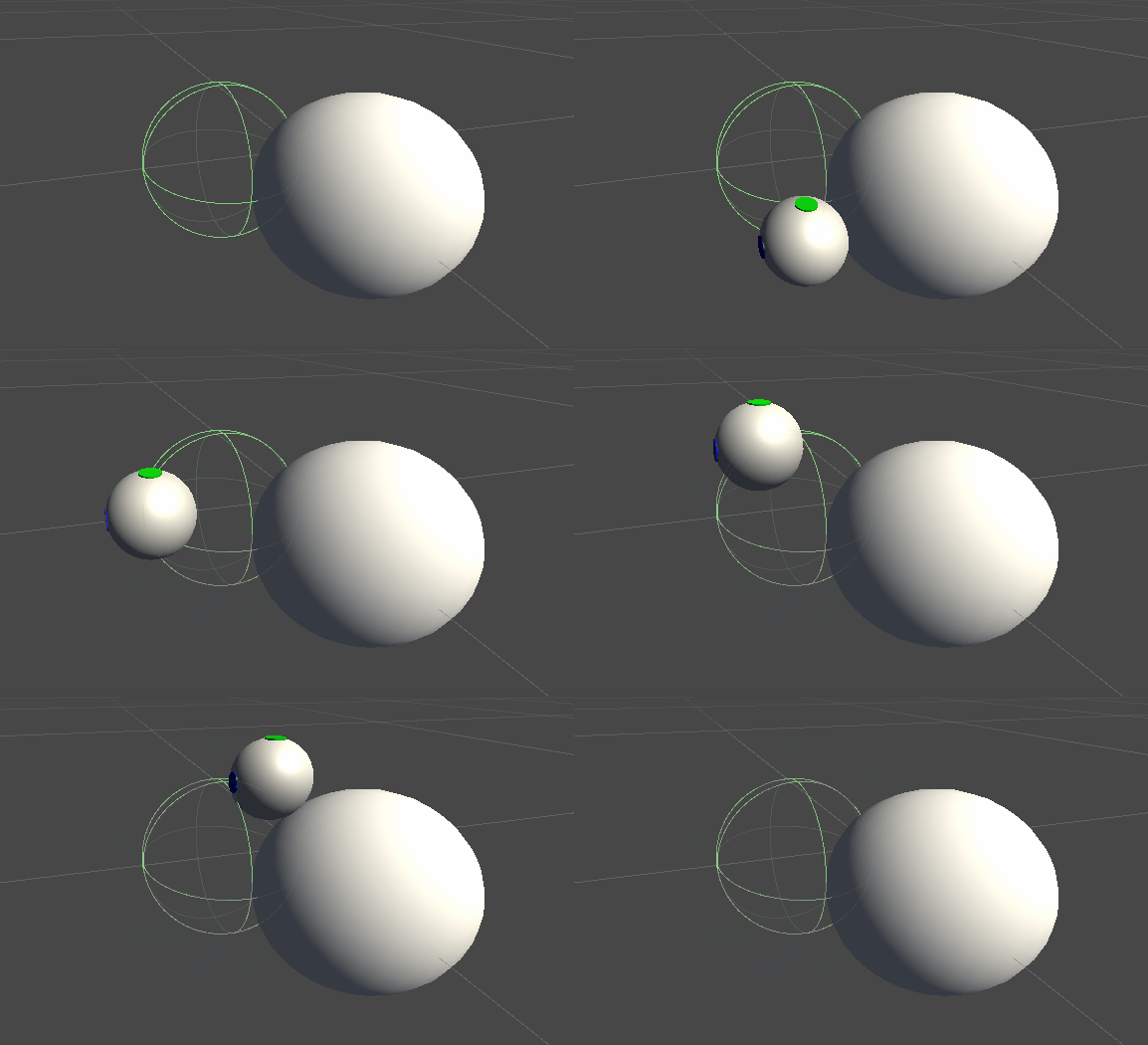
이러한 차이는 힘 계산에 기기의 커서 좌표가 변환되지 않은 실제 좌표로 사용되기 때문입니다. 이 문제를 해결하기 위해, ‘Inverse3 ’ 컨트롤러 컴포넌트가 제공하는 스레드 간 안전성이 보장된 캐시된 변환 행렬을 사용할 것입니다. 이를 통해 햅틱 피드백 계산에 월드 공간 변환을 적용할 수 있게 됩니다.
장면 설정
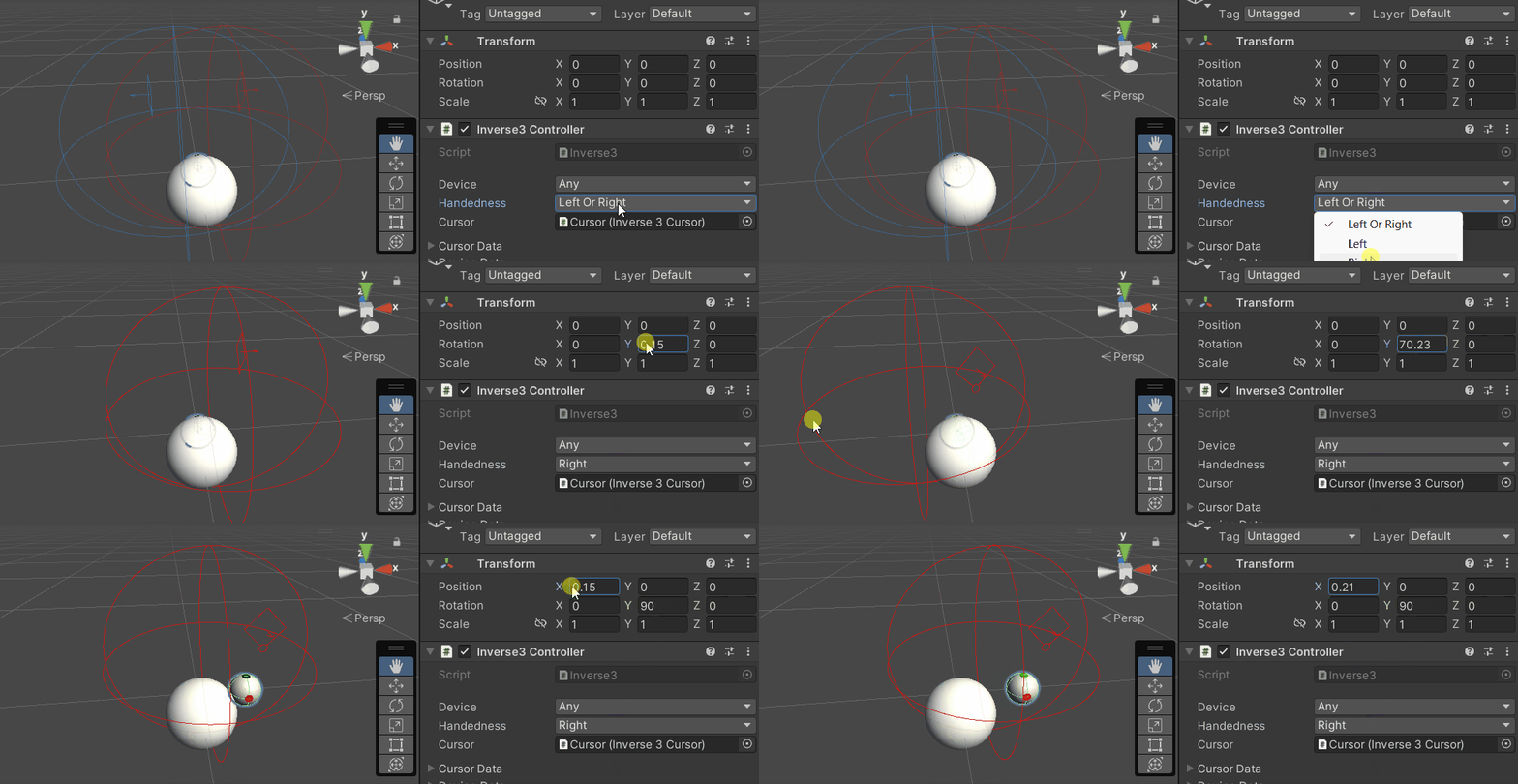
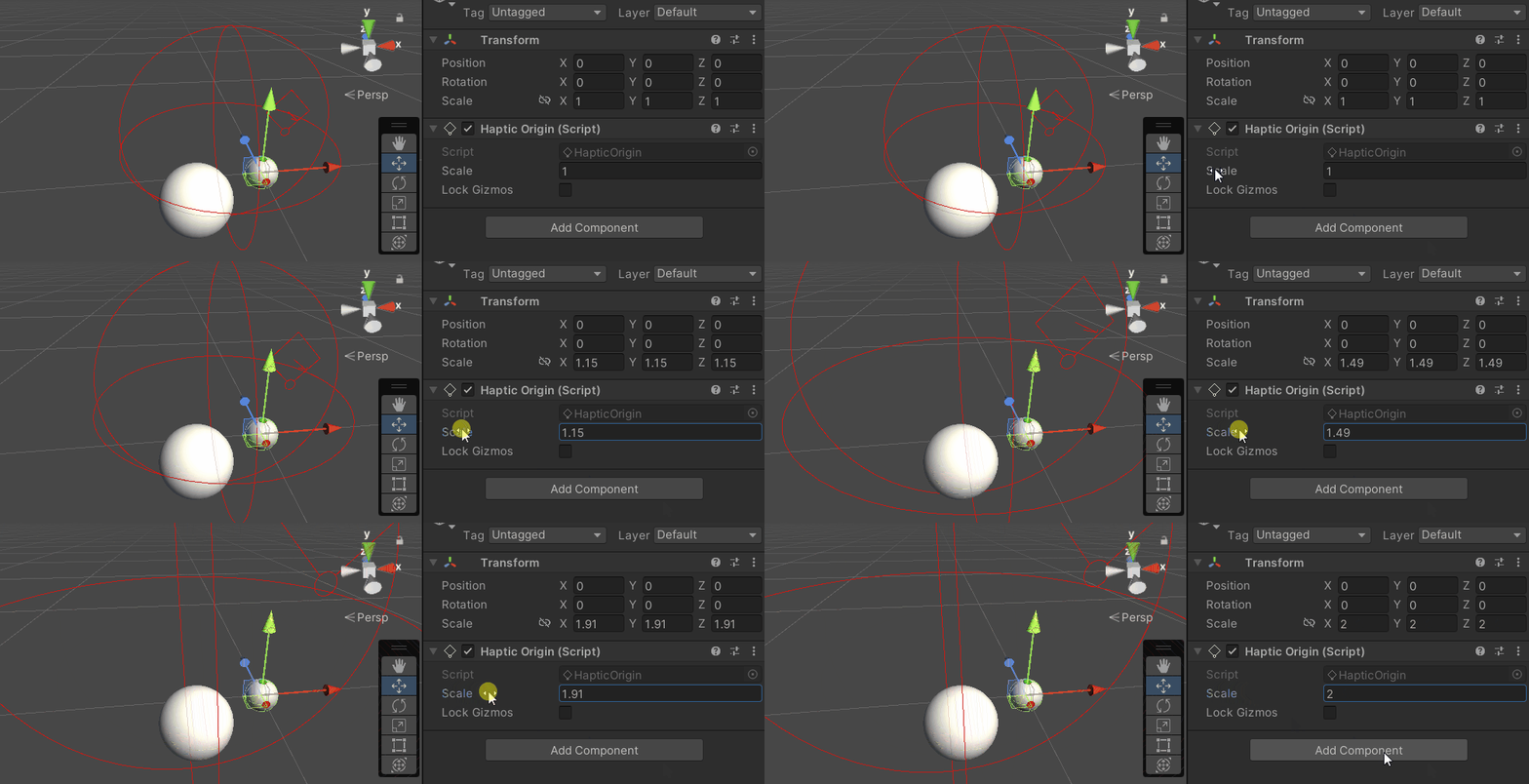
기본 힘 반환 튜토리얼 장면에서 시작하여, ‘Inverse3 ’ 컨트롤러의 좌우 방향이 기기의 방향과 일치하는지 확인하십시오. ‘ Haply ’ 로고가 카메라를 향하도록 ‘Haptic Controller’를 회전시킨 다음, 필요에 따라 ‘Haptic Origin’의 배율을 조정하여 커서의 범위를 개선하거나 위치를 변경하십시오.
강제 복귀 스크립트 수정 사항
스크립트를 복사하세요 SphereForceFeedback.cs 기본 피드백 튜토리얼을 참고하여 콜백 함수에 다음과 같은 수정 사항을 적용하세요. OnDeviceStateChanged :
- Remplacez
device.CursorLocalPositionpardevice.CursorPosition. - Remplacez
device.CursorLocalVelocitypardevice.CursorVelocity. - Remplacez
device.CursorSetLocalForce(force)pardevice.CursorSetForce(force).
private void OnDeviceStateChanged(object sender, Inverse3EventArgs args)
{
    var inverse3 = args.DeviceController;
    var force = ForceCalculation(inverse3.CursorPosition, inverse3.CursorVelocity,
        _cursorRadius, _ballPosition, _ballRadius);

    inverse3.SetCursorForce(force);
}
게임 플레이
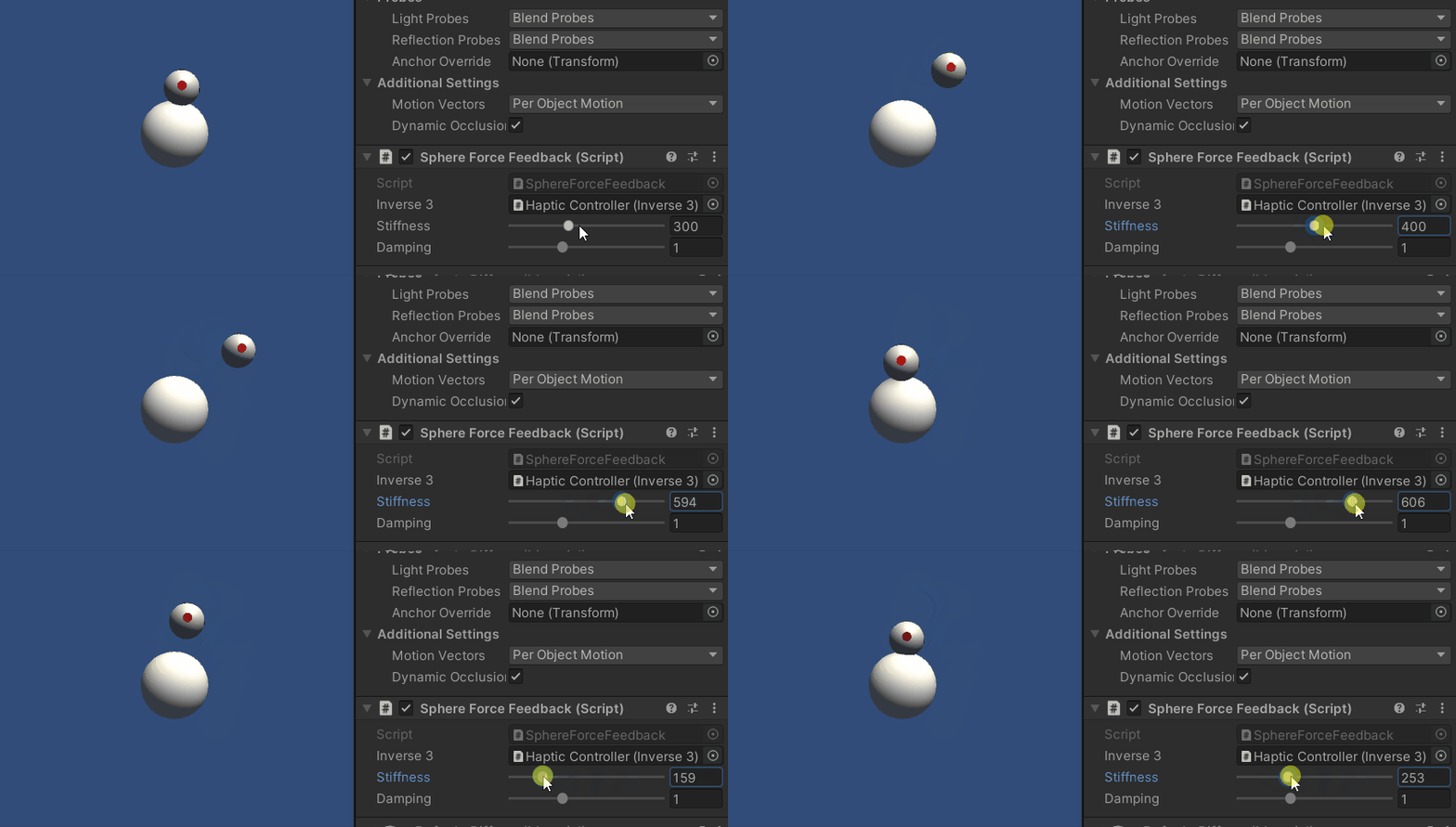
Inverse3 의 커서를 누른 채로 플레이 모드로 전환하세요. 앞서 예시에서와 같이 구체를 터치해 보세요. 이제 Haptic Origin과 Haptic Controller에 적용된 변환을 반영하는 정밀한 햅틱 피드백을 느낄 수 있을 것입니다.
소스 파일
이 예제와 관련된 전체 씬 및 관련 파일은 Unity 패키지 관리자의 ‘Tutorials’ 예제에서 가져올 수 있습니다.
이 예제 장면에는 실행 시 ‘Haptic Controller’와 ‘Haptic Origin’을 조정할 수 있는 추가 스크립트가 포함되어 있습니다.
SphereForceFeedback.cs
/*
 * Copyright 2024 Haply Robotics Inc. All rights reserved.
 */

using Haply.Inverse.DeviceControllers;
using Haply.Inverse.DeviceData;
using UnityEngine;

namespace Haply.Samples.Tutorials._3_DeviceSpaceTransform
{
    public class SphereForceFeedback : MonoBehaviour
    {
        // must assign in inspector
        public Inverse3Controller inverse3;

        [Range(0, 800)]
        // Stiffness of the force feedback.
        public float stiffness = 300f;

        [Range(0, 3)]
        public float damping = 1f;

        private Vector3 _ballPosition;
        private float _ballRadius;
        private float _cursorRadius;

        /// <summary>
        /// Stores the cursor and sphere transform data for access by the haptic thread.
        /// </summary>
        private void SaveSceneData()
        {
            var t = transform;
            _ballPosition = t.position;
            _ballRadius = t.lossyScale.x / 2f;

            _cursorRadius = inverse3.Cursor.Radius;
        }

        /// <summary>
        /// Saves the initial scene data cache.
        /// </summary>
        private void Awake()
        {
            inverse3 ??= FindFirstObjectByType<Inverse3Controller>();
            inverse3.Ready.AddListener((device, args) => SaveSceneData());
        }

        /// <summary>
        /// Subscribes to the DeviceStateChanged event.
        /// </summary>
        private void OnEnable()
        {
            inverse3.DeviceStateChanged += OnDeviceStateChanged;
        }

        /// <summary>
        /// Unsubscribes from the DeviceStateChanged event.
        /// </summary>
        private void OnDisable()
        {
            inverse3.DeviceStateChanged -= OnDeviceStateChanged;
            inverse3.Release();
        }

        /// <summary>
        /// Calculates the force based on the cursor's position and another sphere position.
        /// </summary>
        /// <param name="cursorPosition">The position of the cursor.</param>
        /// <param name="cursorVelocity">The velocity of the cursor.</param>
        /// <param name="cursorRadius">The radius of the cursor.</param>
        /// <param name="otherPosition">The position of the other sphere (e.g., ball).</param>
        /// <param name="otherRadius">The radius of the other sphere.</param>
        /// <returns>The calculated force vector.</returns>
        private Vector3 ForceCalculation(Vector3 cursorPosition, Vector3 cursorVelocity, float cursorRadius,
            Vector3 otherPosition, float otherRadius)
        {
            var force = Vector3.zero;

            var distanceVector = cursorPosition - otherPosition;
            var distance = distanceVector.magnitude;
            var penetration = otherRadius + cursorRadius - distance;

            if (penetration > 0)
            {
                // Normalize the distance vector to get the direction of the force
                var normal = distanceVector.normalized;

                // Calculate the force based on penetration
                force = normal * penetration * stiffness;

                // Apply damping based on the cursor velocity
                force -= cursorVelocity * damping;
            }

            return force;
        }

        /// <summary>
        /// Event handler that calculates and send the force to the device when the cursor's position changes.
        /// </summary>
        /// <param name="sender">The Inverse3 data object.</param>
        /// <param name="args">The event arguments containing the device data.</param>
        private void OnDeviceStateChanged(object sender, Inverse3EventArgs args)
        {
            var inverse3 = args.DeviceController;
            // Calculate the ball force. Using 'device.Position' instead of 'device.LocalPosition'
            // ensures the force calculation considers the device's offset and rotation in world space.
            var force = ForceCalculation(inverse3.CursorPosition, inverse3.CursorVelocity,
                _cursorRadius, _ballPosition, _ballRadius);

            // Apply the calculated force to the cursor. Using 'device.CursorSetForce' instead of
            // 'device.CursorSetLocalForce' ensures that the force vector is correctly converted
            // from world space to the device's local space.
            inverse3.SetCursorForce(force);
        }
    }
}